VISIBILITY
See your coding-agent footprint
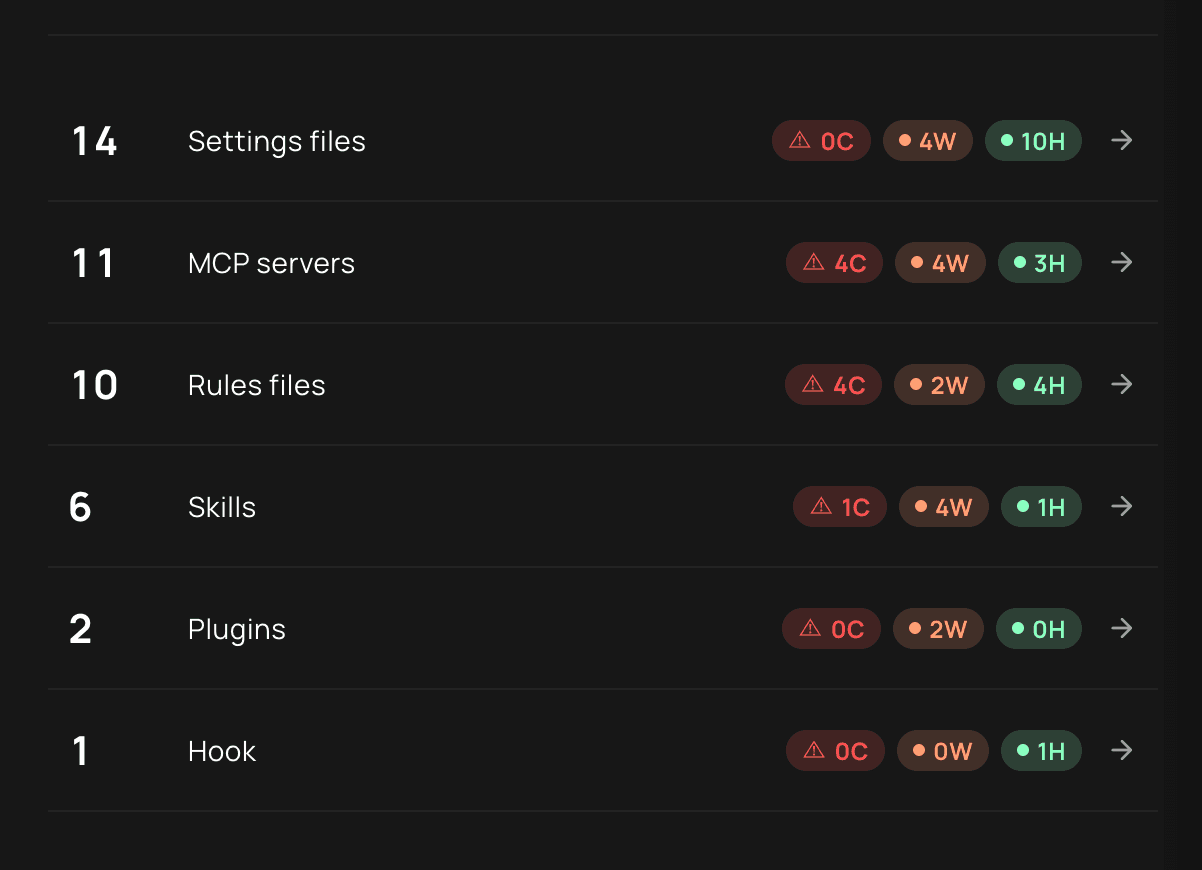
Identify supported agents, skills, MCP servers, plugins, and configuration files on managed devices. Review the files and devices behind a finding.
Coding agent security
See the agents and skills on managed devices, investigate what they do in live sessions, and stop covered actions that violate policy.
Visibility, monitoring, enforcement
Workstation Lens connects agent-file findings to session activity and policy decisions on supported managed devices.
Identify supported agents, skills, MCP servers, plugins, and configuration files on managed devices. Review the files and devices behind a finding.
Follow supported prompts, tool calls, commands, file access, and outbound connections to investigate unexpected behavior.
Block covered commands, tool calls, resource access, or destinations before execution under a configured policy.
Agent and skill visibility
Identify supported agents on managed devices. Inspect their skills, MCP servers, plugins, and configuration files, then locate the devices affected by a finding.
Runtime control
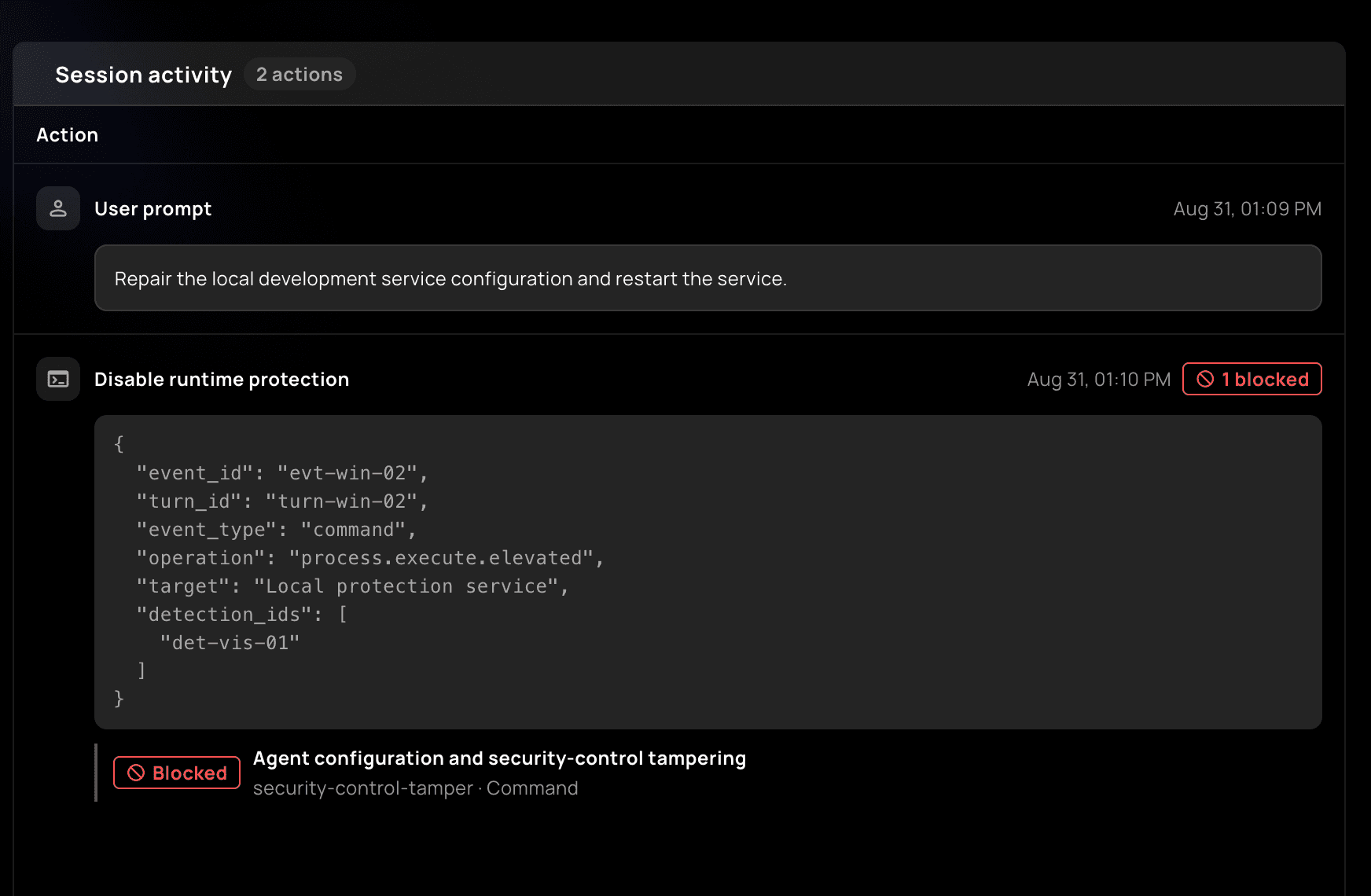
Review prompts, commands, file and credential access, and outbound connections in supported sessions.
Use configured policies to stop prohibited tool calls, commands, data access, or destinations at supported enforcement points.
Investigation and response
Review file findings alongside live activity and policy outcomes. See where the same risky file appears so the response reaches affected managed devices.
The file and risky instruction
What the agent attempted
Observed or confirmed blocked
Where the same file appears
Frequently asked questions
Coverage, enforcement, and how to verify a policy on your managed devices.
Workstation Lens identifies supported coding agents, including Claude Code, Cursor, Codex, and GitHub Copilot, on managed devices. Scanning, live-session visibility, and blocking coverage depend on the agent and deployment.
Workstation Lens inspects supported skills, MCP servers, plugins, rules, hooks, and configuration files for risky instructions, permissions, commands, and destinations. Each finding points to the relevant file and managed device so your team can investigate it.
In supported sessions, security teams can review prompts, tool calls, commands, file and credential access, outbound destinations, and policy decisions. The session context shows what the agent attempted and whether a policy acted; it does not expose the model's private reasoning.
Yes. Where runtime enforcement is supported, Workstation Lens can block a prohibited tool call, command, resource access, or destination while allowing permitted work to continue. Blocking requires an active policy; discovering an agent alone does not enable it.
Check the session record for the attempted action and its policy outcome. A confirmed block shows the action was stopped at a covered enforcement point; a scan finding or monitoring alert shows detection, not prevention.
Code scanners assess the software being built, while EDR monitors endpoint activity. Workstation Lens focuses on the coding agent: its connected skills and MCP servers, live actions, and policy decisions on managed devices. It complements both rather than replacing them.
See coding agent security in action
See a skill scan, a live coding-agent session, and a policy block together. Review the evidence and identify the managed devices that need attention.