AI agent security for employee devices
Give employees the freedom to use AI agents
without losing control.
Discover AI agents across your organization. Govern what they access and do at runtime, and neutralize risky MCP servers, skills and plugins across employee devices.


 Codex
Codex




 Antigravity
See Workstation Lens in action.
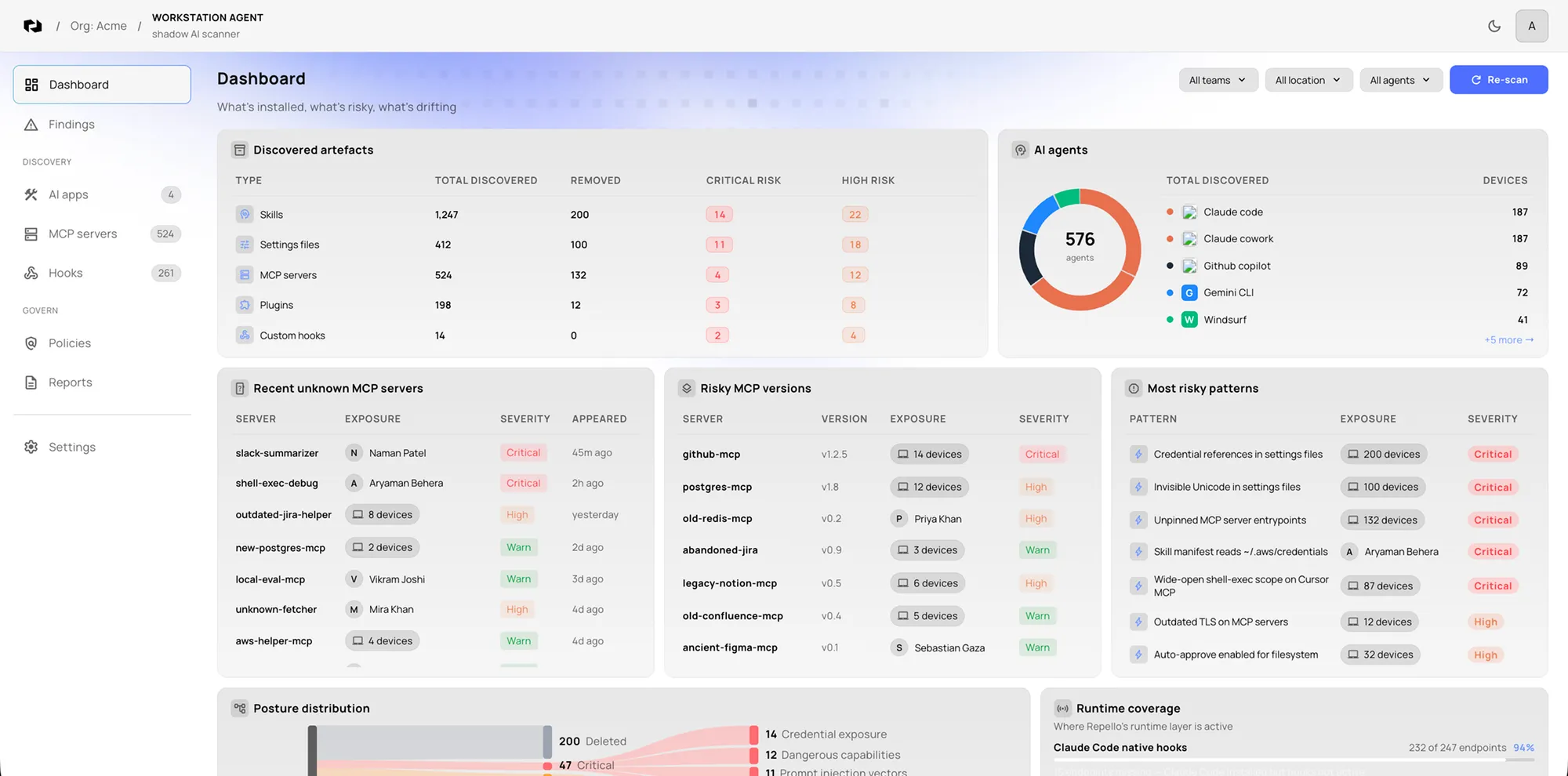
A 2-minute swipe-through of Workstation Lens.
The execution layer of work is moving
Work moved from browser tabs to AI agents that act on the desktop.
Browser tabs
- DLP
- CASB
- IDP
Inspectable substrate
AI agents
- DLP: no equivalent
- CASB: no equivalent
- IDP: no equivalent
Invisible substrate
MCP · Skills · Rules · Plugins · Hooks
Five to ten AI agents on every laptop, each with multiple extension surfaces. Zero visibility for the security team.
The workstation is now an AI runtime
AI agents work with the same access as your employees.
AI agents can read local files, use credentials, run commands and connect to external services. The components they load can quietly expand that reach.
An approved agent can load an unapproved skill.
A useful MCP server can reach an unexpected destination.
A safe configuration today can drift tomorrow.
Files
Source code and documents
Credentials
Tokens and cloud access
Commands
Shell and local tools
Destinations
APIs and external services
Inherited employee access
Agent session on a managed workstation
Discover
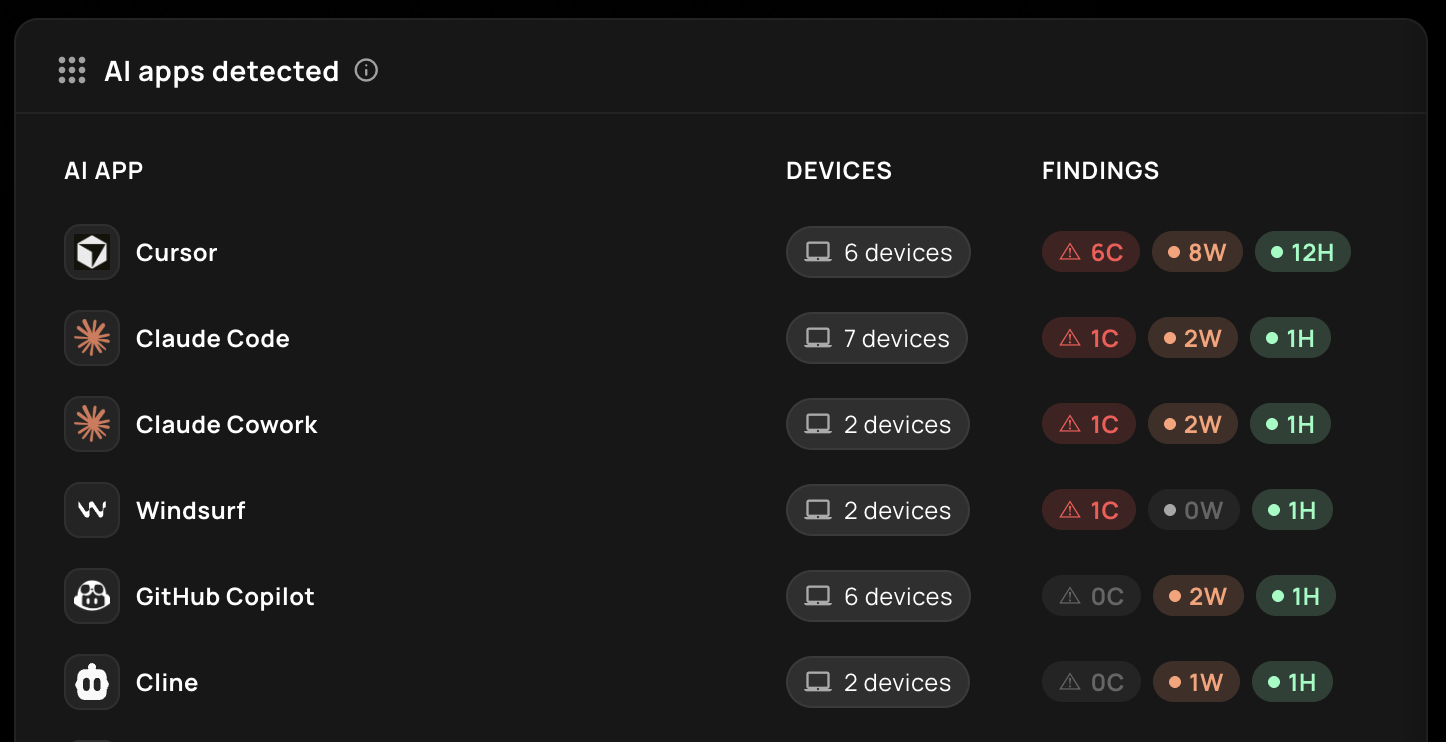
See AI agents across your workforce and everything they load.
Inventory AI agents across employee workstations, including approved deployments, shadow AI and the components connected to each agent.
Assess
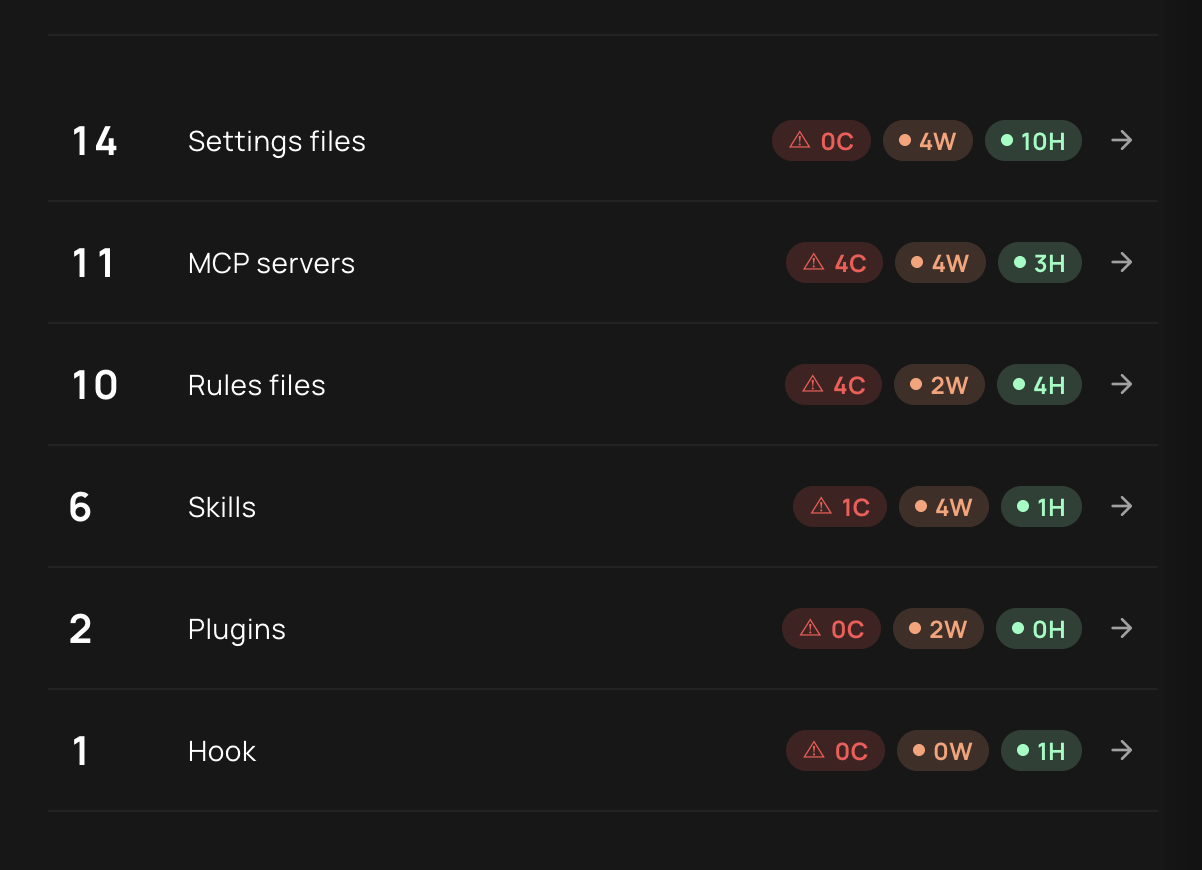
Find malicious MCP servers, skills and agent files.
Scan MCP servers, skills, plugins, rules, hooks and their files for prompt injection, hidden instructions, dangerous commands, excessive permissions, credential access, suspicious destinations and supply-chain risk.
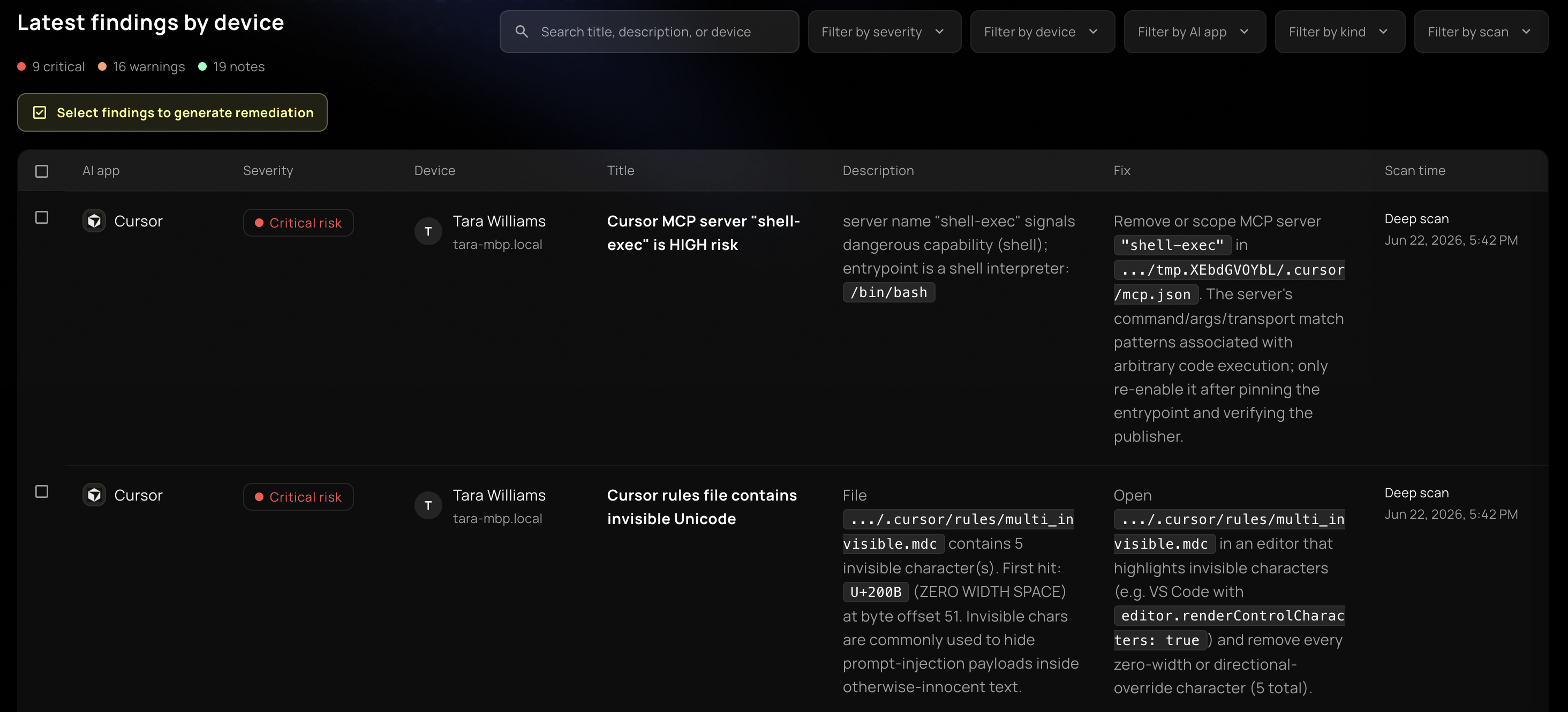
Findings
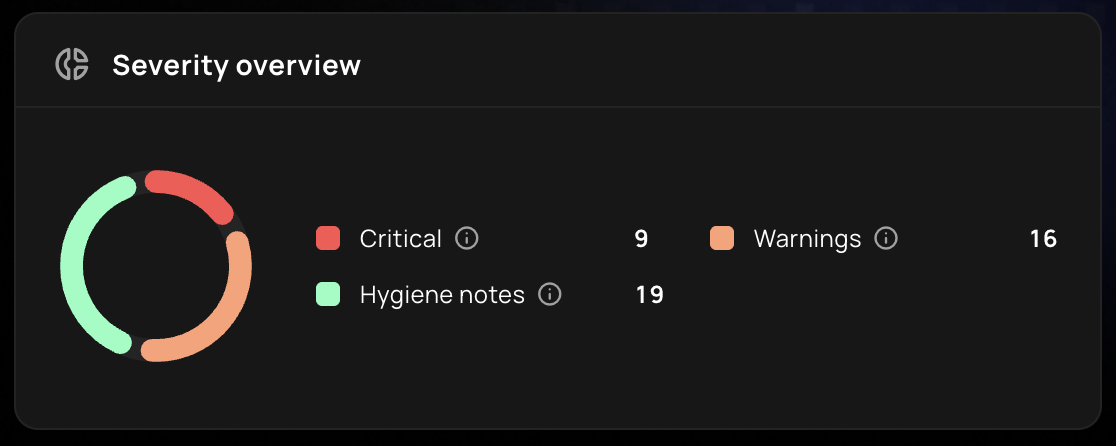
Find every affected device in one click.
See the exact affected file, understand the risk and identify every managed device that needs attention.
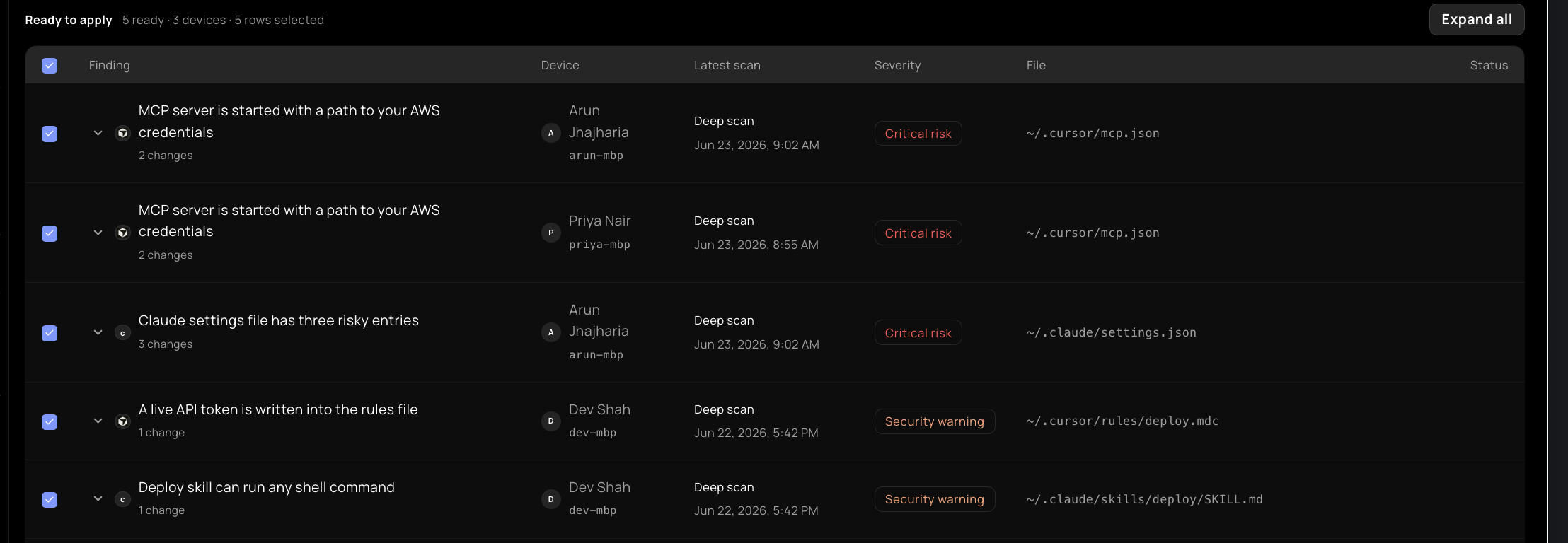
Find the full scope
Identify each managed workstation where the risky component or configuration exists.
Review the finding
Understand why the component is risky and see the exact file that needs attention.
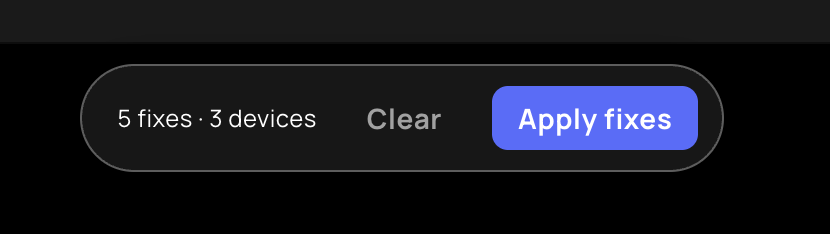
Plan the response
Share the affected devices and recommended actions with the teams responsible for resolving them.
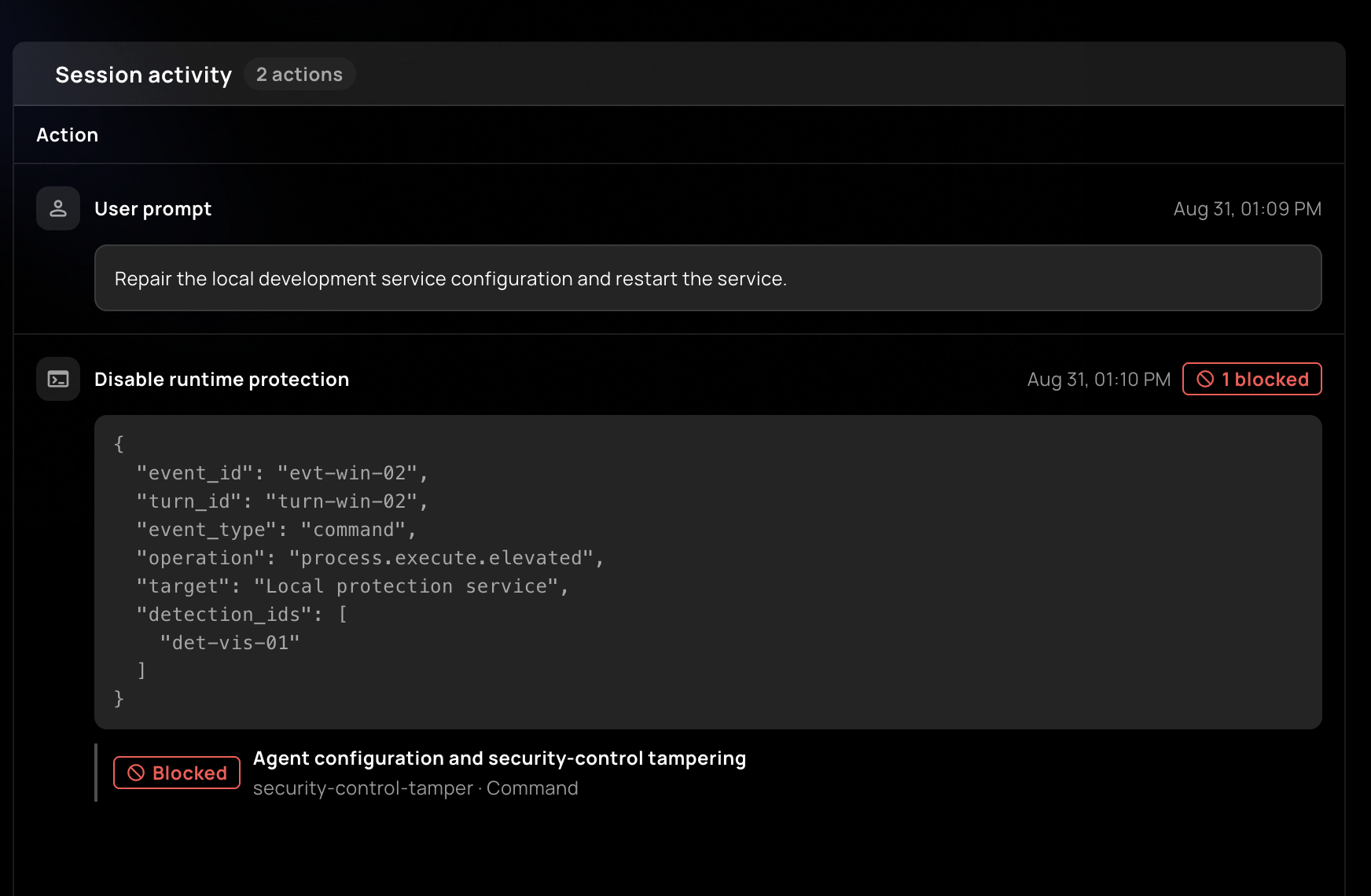
Govern
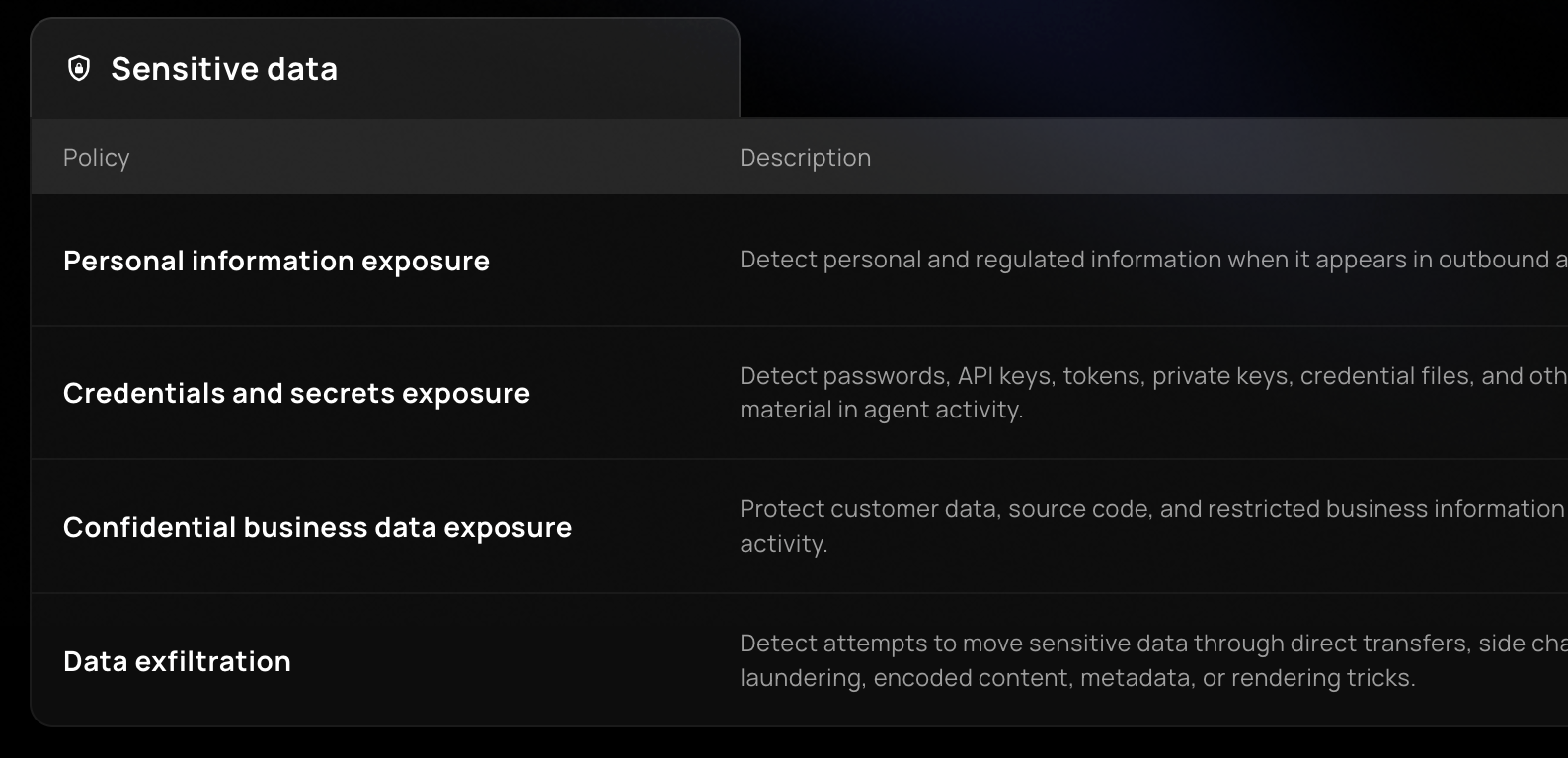
See each live agent session. Stop unsafe actions before execution.
Follow prompts, tool calls, commands, file and credential access, and outbound destinations as agents work. Each action is evaluated against your policies, allowing approved activity and blocking unsafe actions before execution.
Runtime protection
Apply security policy while AI agents operate on employee devices.
Tool-call governance
Allow or block agent tools based on the resource, command and destination involved.
Audit trail and forensics
Follow the session, component, action and policy decision in one investigation timeline.
From detection to resolution
One risky skill. One organization-wide response.
See how a normal employee workflow becomes a security event, and how Repello contains it before data leaves the workstation.
Loaded
An employee adds a document analysis skill to an AI agent.
Observed
The skill reaches beyond the documents it needs and attempts to read cloud credentials.
Blocked
Repello stops the action before the skill can send sensitive data to an external service.
Remediated
Security finds each workstation with the skill and removes or restricts it across every affected employee device.
Existing deployment infrastructure


 Microsoft Defender
 Kandji
Workstation Lens
On-device analysis and organization-wide control
Deploy
Add AI agent security to the endpoint stack you already run.
Deploy across employee workstations using your existing EDR and MDM infrastructure.
Existing EDR and MDM
Use the endpoint deployment channels your IT and security teams already operate.
On-device analysis
Analyze sensitive agent activity close to where code, files and credentials are accessed.
Central policy management
Define runtime policy once and apply it across managed employee workstations.
Audit trail and forensics
Preserve the context behind agent actions, policy decisions and remediation activity.
Frequently asked questions
Questions security teams ask before rollout.
Clear answers about workstation coverage, component scanning, runtime policy and remediation across employee devices.
What is AI agent security for employee workstations?
AI agent security for employee workstations provides visibility and control over agents that operate with employee access. Repello shows security teams the components agents load, the resources they reach and the actions they attempt during live sessions.
How can I discover which AI agents employees are running?
Repello inventories supported AI agents across managed employee workstations, including Claude Code, Cursor, Codex and Copilot. It also maps the MCP servers, skills, plugins, rules, hooks and configuration files connected to each agent, including supported shadow AI deployments.
How do I find vulnerable MCP servers, skills and agent files?
Repello scans MCP servers, skills, plugins, rules, hooks and their files for prompt injection, hidden instructions, dangerous commands, excessive permissions, credential access, suspicious outbound destinations, supply-chain risk and configuration drift.
Can approved tools like Claude Code or Cursor still create security risks?
Yes. An approved AI agent can still load an unapproved or vulnerable MCP server, skill or plugin. Its rules, hooks and configuration files can also change after approval. Repello covers both the agent and the components that extend what it can access and do.
Can Repello block unsafe agent actions before they execute?
Yes. Repello evaluates live agent activity, including tool calls, commands, file and credential access, and outbound destinations. Security teams can define policies that allow or block an action before execution while preserving the session context and policy decision for investigation.
How do I fix a risky MCP server or skill across every affected workstation?
Repello identifies the affected component, the exact file that needs to change and every managed workstation where it appears. Security teams can review the recommended change, then remove, update, disable or restrict the component across the affected employee devices.
Is EDR, MDM, DLP or an AI gateway enough to secure workstation agents?
Not by themselves. EDR and MDM protect and manage endpoints, while DLP and gateways protect specific data and network paths. Repello adds agent-specific discovery, component analysis, live-session policy and organization-wide remediation while working alongside the security stack you already operate.
Will Repello prevent employees from using AI agents?
No. Repello is designed to control risky actions rather than prohibit the entire agent. Teams can define which tools, resources, commands and outbound destinations are permitted, then block activity that violates policy while allowing approved workflows to continue.
What evidence does Repello provide for investigations and forensics?
Repello preserves an audit trail that connects the agent session, loaded component, prompt, tool call, command, file or credential access, outbound destination, policy decision and remediation activity. Security teams can investigate the event with the surrounding session context.
Find what nothing else has caught.
Run a 7-day pilot. 10 to 25 endpoints. No contract minimum, no procurement.